
Overview
The Bad Header Destiny feature in Warden controls how the mail server processes and delivers emails containing malformed, non-compliant, or structurally invalid headers. Administrators can manage this behavior through global policy settings, per-policy bank configurations, or direct Amavis configuration modifications.
Default Configuration and Server-Wide Policy
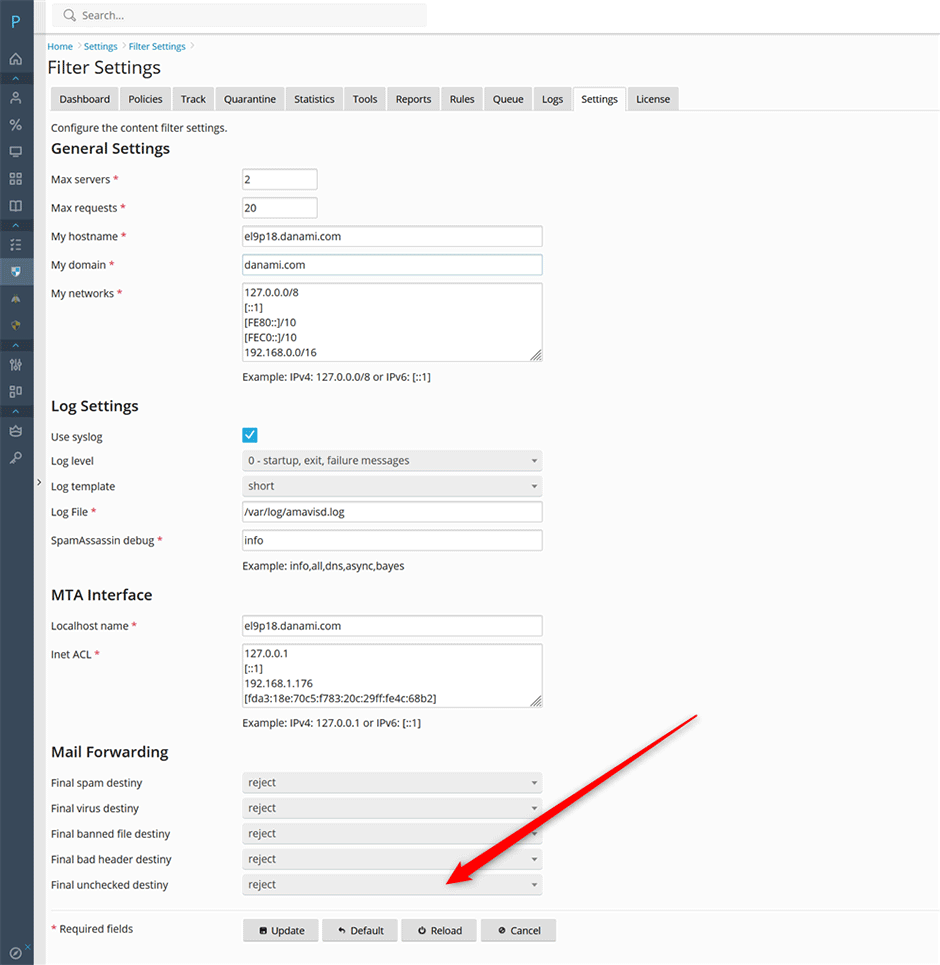
- The default setting under Warden > Settings > Content Filter > Content Filter Settings > Bad header destiny is set to reject.
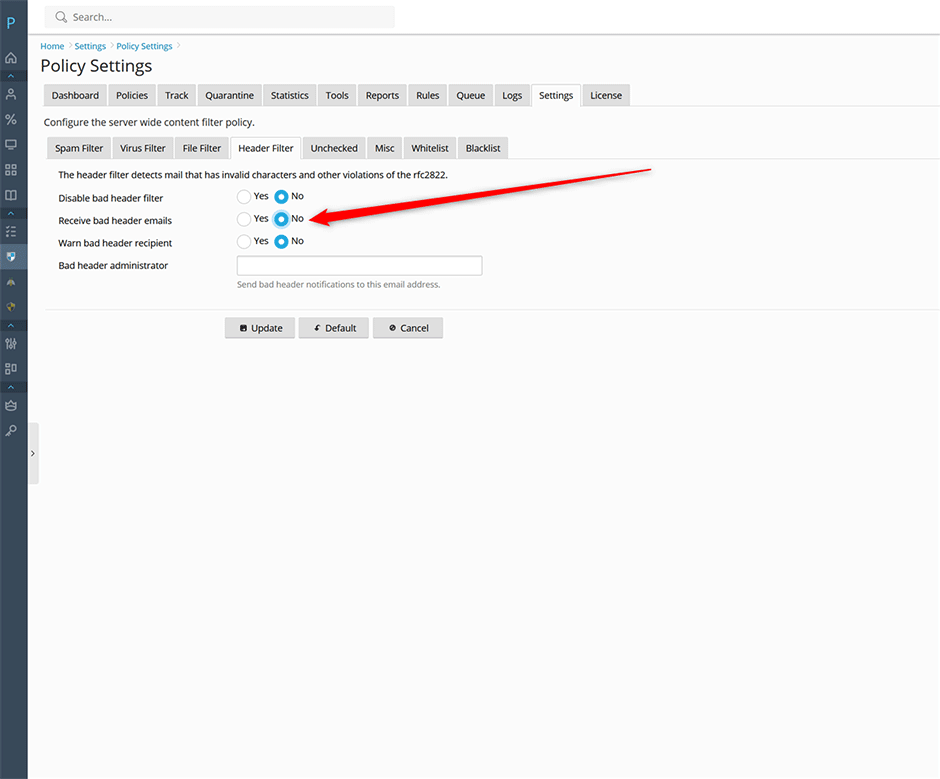
- The server-wide policy option under Warden > Settings > Content Filter > Policy Settings > Receive bad header emails determines delivery behavior:
- Yes (Default): Allows emails with invalid headers to pass through to the recipient's mailbox. Amavis retains a quarantined copy for administrative review and automatically purges it after 30 days.
- No: Blocks delivery of emails containing bad headers, preventing them from reaching the user's mailbox.
Disable All Bad Header Tests (Global)
To completely bypass header validation across the entire server, modify the Amavis configuration file and restart the service.
- Edit the appropriate configuration file based on your operating system:
- AlmaLinux/CloudLinux/RHEL: /etc/amavisd/warden.conf
- Debian/Ubuntu: /etc/amavis/conf.d/99-warden
Original configuration:
@bypass_header_checks_maps = (\%bypass_header_checks, \@bypass_header_checks_acl, \$bypass_header_checks_re);Updated configuration:
@bypass_header_checks_maps = [1];- Restart the Amavis service to apply changes:
// AlmaLinux/CloudLinux/RHEL
systemctl restart amavisd

// Debian/Ubuntu
systemctl restart amavis
Disable Bad Header Tests for a Specific Policy Bank
To disable header validation exclusively for outgoing email within a specific policy bank:
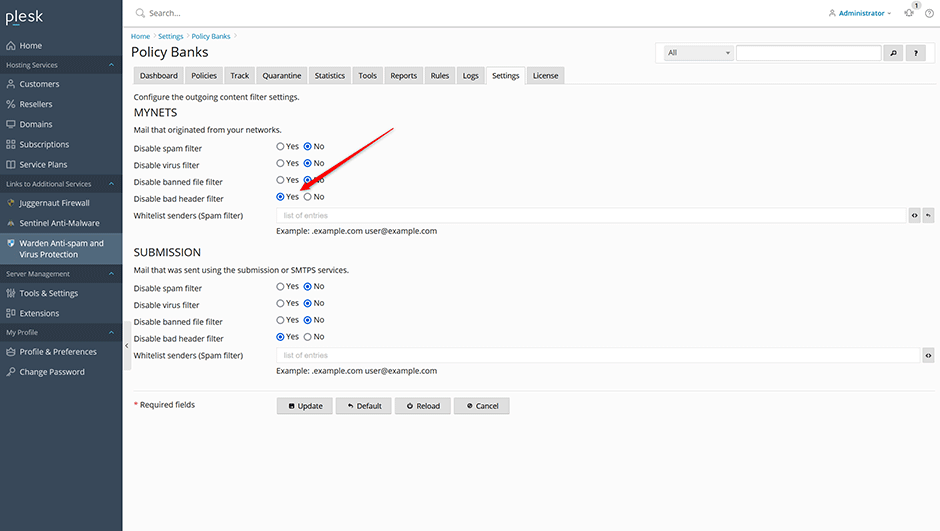
- Navigate to Warden > Settings > Policy Banks.
- Select the target policy bank.
- Set Disable bad header filter to Yes.
- Save the configuration changes.
Disable Specific Bad Header Tests
You can selectively disable individual header validation rules by modifying the $allowed_header_tests variable. Setting a test value to 0 disables that specific check.
Available header tests:
- other: Catchall for unclassified checks (typically unused)
- mime: Invalid MIME headers or malformed MIME structure
- 8bit: Unencoded 8-bit characters in headers
- control: Invalid control characters (CR or NUL)
- empty: Folded header fields containing only whitespace
- long: Header lines exceeding the RFC 2822 limit of 998 characters
- syntax: Header field syntax errors or missing required fields
- multiple: Duplicate or repeated header fields
To disable specific tests, edit the same configuration files listed above and append the desired rules to the $allowed_header_tests block. For example, to disable duplicate headers and missing required fields:
$allowed_header_tests{'multiple'} = 0;
$allowed_header_tests{'missing'} = 0;
Restart the Amavis service after modifying the configuration:
// AlmaLinux/CloudLinux/RHEL
systemctl restart amavisd

// Debian/Ubuntu
systemctl restart amavis
Troubleshooting and Verification
- Configuration not applying: Verify that the Amavis service has fully restarted. Check for syntax errors in the configuration files by running a config validation test.
- Emails still being rejected after disabling tests: Ensure no conflicting rules exist in other policy banks, global content filter settings, or external spam filtering layers.
