Overview
Incorrectly trained Bayes learning or TxRep Reputation data can degrade anti-spam filtering performance and produce inaccurate classification results. To restore optimal functionality, you may need to clear existing training records and initiate a fresh learning cycle. This article provides the procedures for resetting these datasets using both the Warden web interface and the command line interface (CLI).
Prerequisites
- Administrative access to the Warden management console.
- Command-line access with appropriate system permissions (required for CLI method).
Reset Training Data via Web Interface
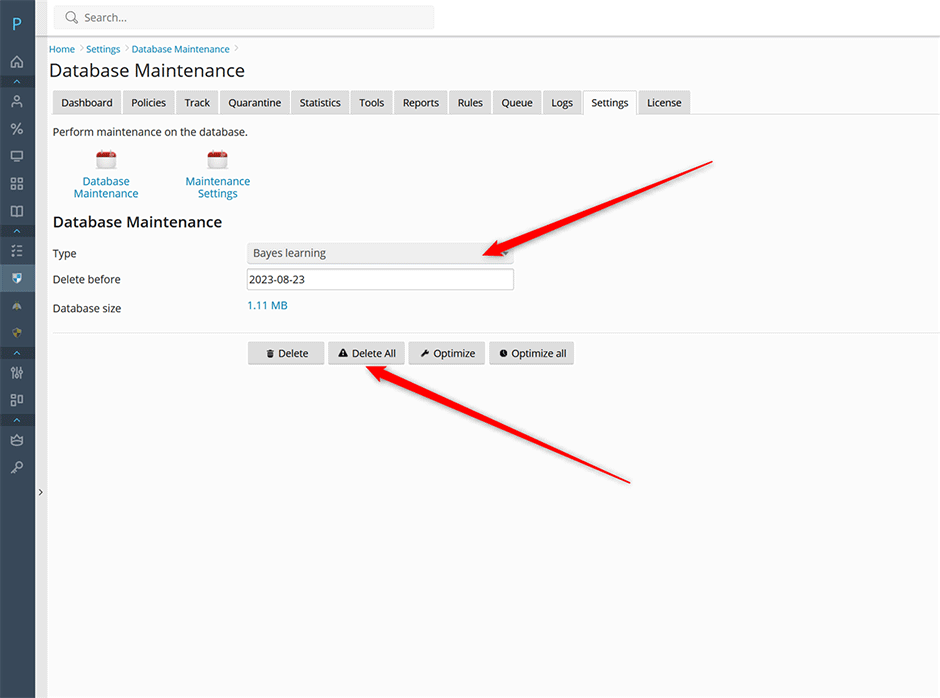
- Navigate to Warden > Settings > Database Maintenance.
- In the Type dropdown menu, select either Bayes learning or TxRep reputation.
- Click the Delete all button to permanently clear the selected dataset.
Reset Training Data via Command Line Interface
Execute the following commands in your terminal to remove training data directly from the database:
// delete all Bayes data from the database
warden --task=application:maintenance:database --oper=delete_all --type=Bayes

// delete all TxRep data from the database
warden --task=application:maintenance:database --oper=delete_all --type=Txrep
Verification and Expected Results
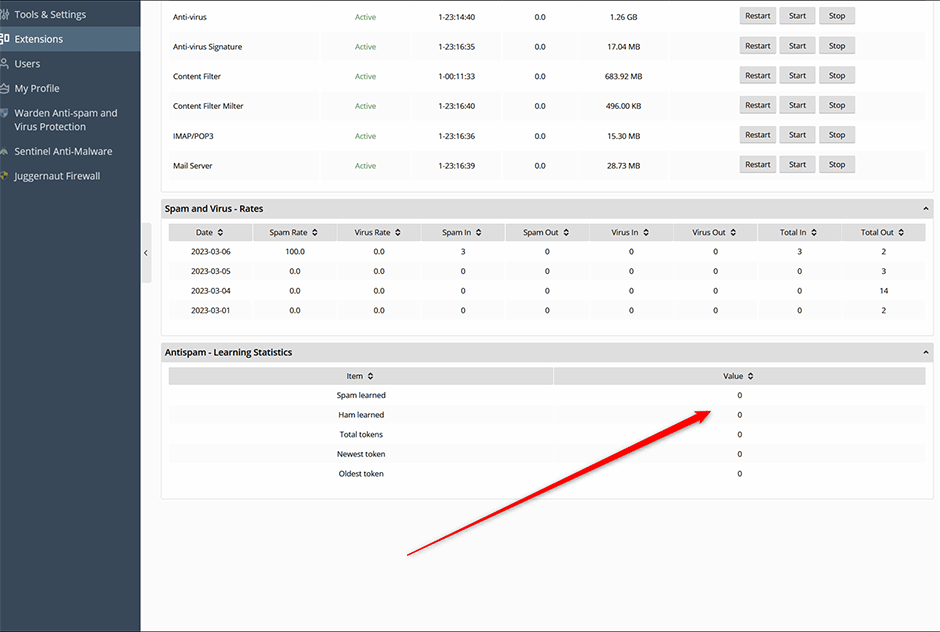
After clearing the datasets, navigate to the Warden dashboard. The Anti-spam Learning statistics will reset to zero. The system will automatically begin retraining based on your current configuration parameters. Monitor the statistics over the next 24–48 hours to confirm that new data is being processed and classified correctly.