
How can I change the denied IP address limits?

Overview

The system automatically rotates out denied IP addresses once a predefined threshold is reached. This article provides instructions for adjusting the rotation limit and configuring permanent entries that bypass automatic removal.

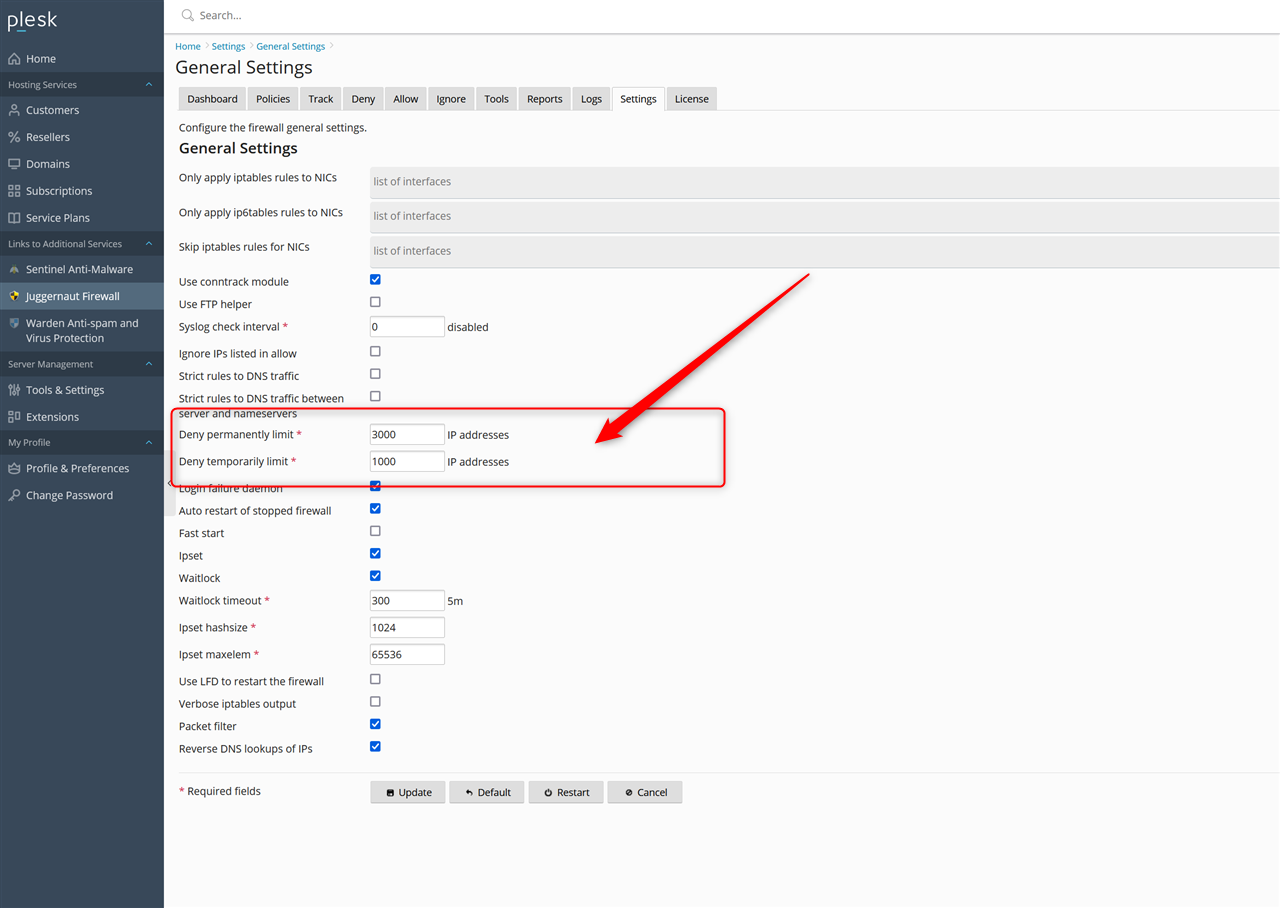
Adjusting the Denied IP Address Limit

  1. Navigate to Settings > General Settings.
  2. Locate the denied IP address limit configuration field.
  3. Increase the value as required. Note: It is not recommended to raise this limit higher than 10,000.
Configuring Permanent Denied IP Entries

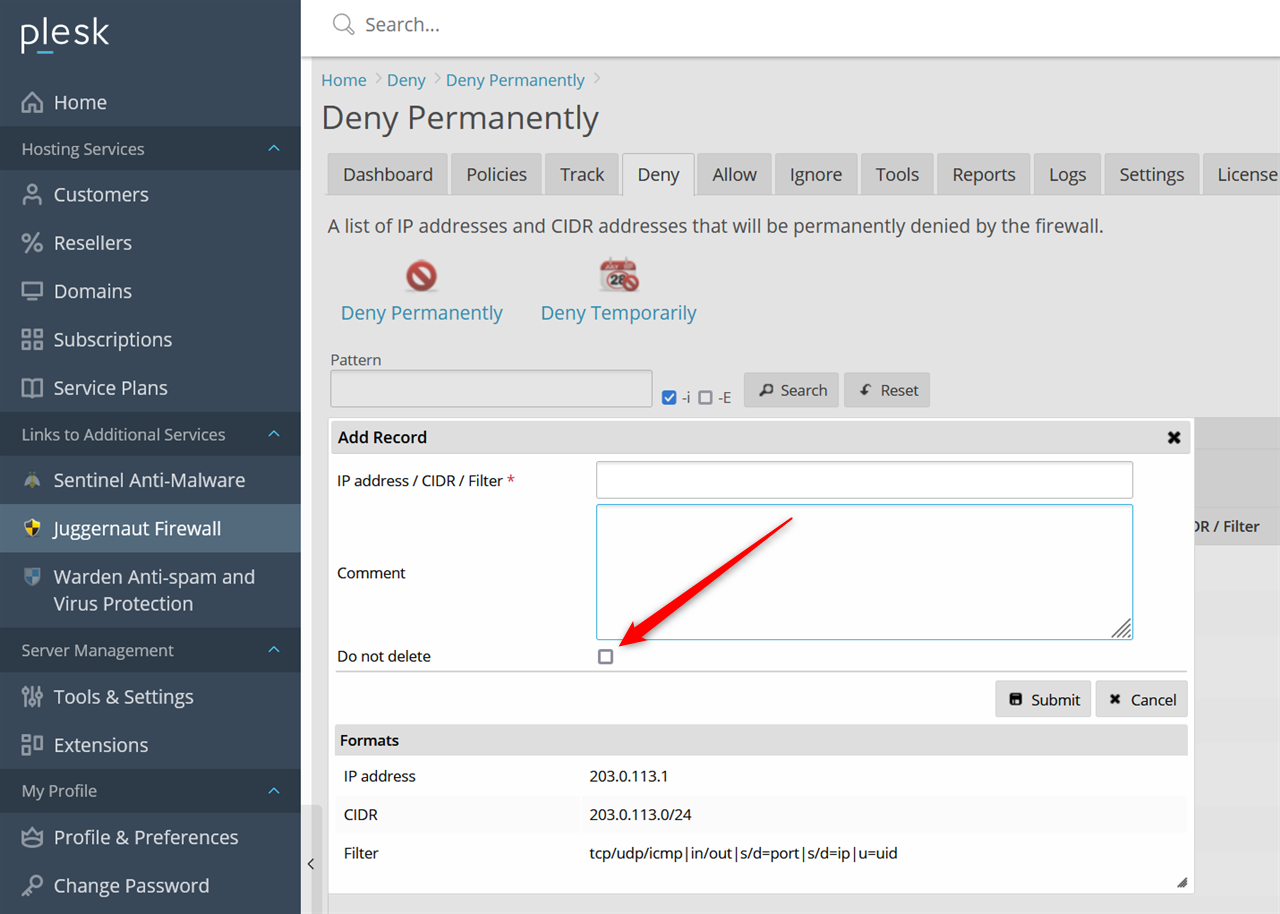
To prevent a specific denied IP address from being automatically rotated out, apply the permanent retention flag during entry creation:

  1. Add or edit the target denied IP address.
  2. Select the do not delete option to ensure the entry remains in the list indefinitely.
  • limit
  • 0 Utilisateurs l'ont trouvée utile
Cette réponse était-elle pertinente?

Articles connexes

Where are the configuration files for Juggernaut Firewall located?

Configuration files are located in the /etc/csf/ directory with the main firewall configuration...

Can I use Juggernaut Firewall to block Wordpress bruteforce attacks?

Yes we support blocking attacks like these very easily. See below for more information: How can...

How can I install or upgrade the extension?

We provide free installation and configuration for all our paid licenses. Open a support ticket...

How can I change the interface language of the extension?

Overview This article provides instructions on how to change the interface language within the...

How can I get detailed help about a specific setting?

Overview This article outlines how to access contextual assistance and detailed configuration...
