Overview
The system automatically rotates out denied IP addresses once a predefined threshold is reached. This article provides instructions for adjusting the rotation limit and configuring permanent entries that bypass automatic removal.
Adjusting the Denied IP Address Limit
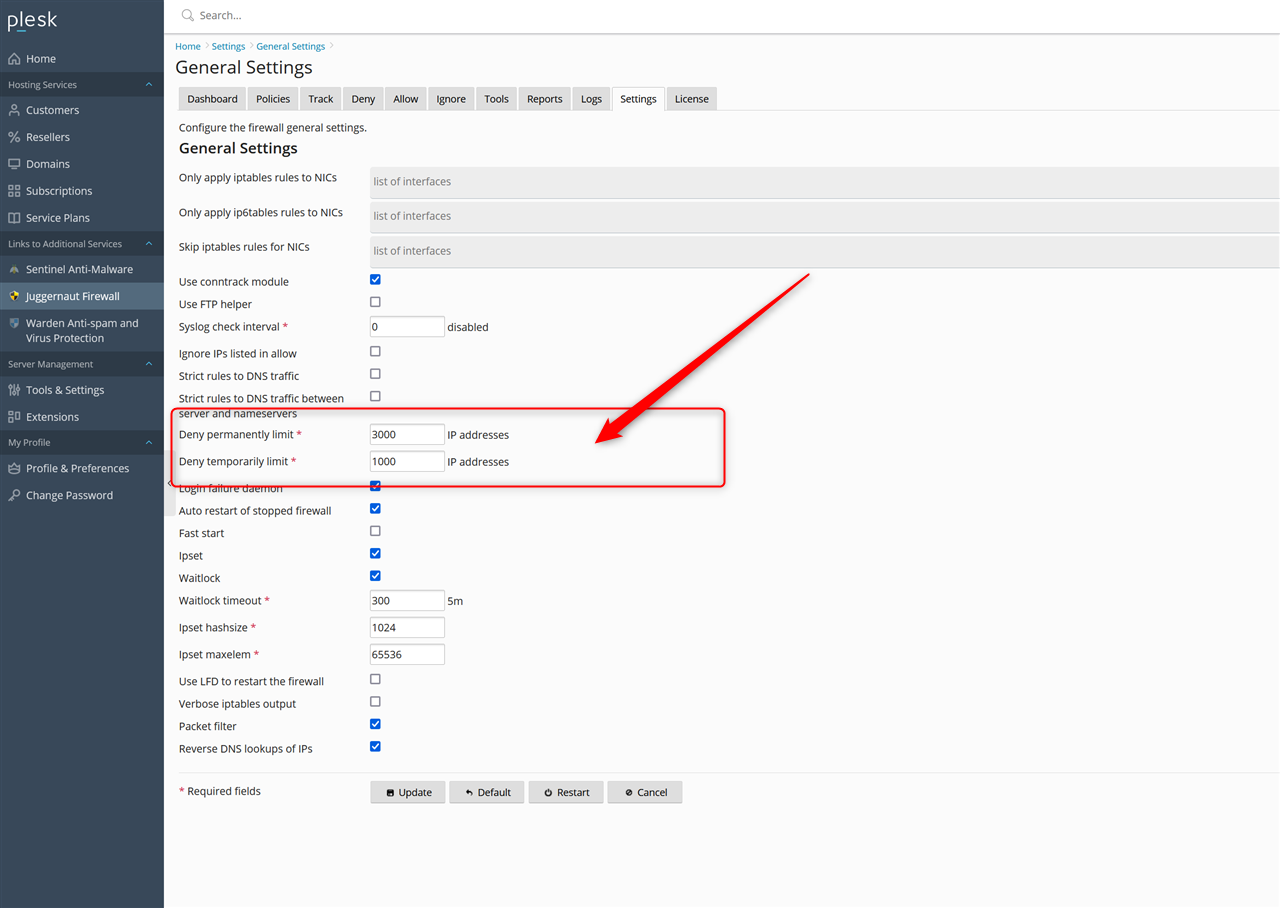
- Navigate to Settings > General Settings.
- Locate the denied IP address limit configuration field.
- Increase the value as required. Note: It is not recommended to raise this limit higher than 10,000.
Configuring Permanent Denied IP Entries
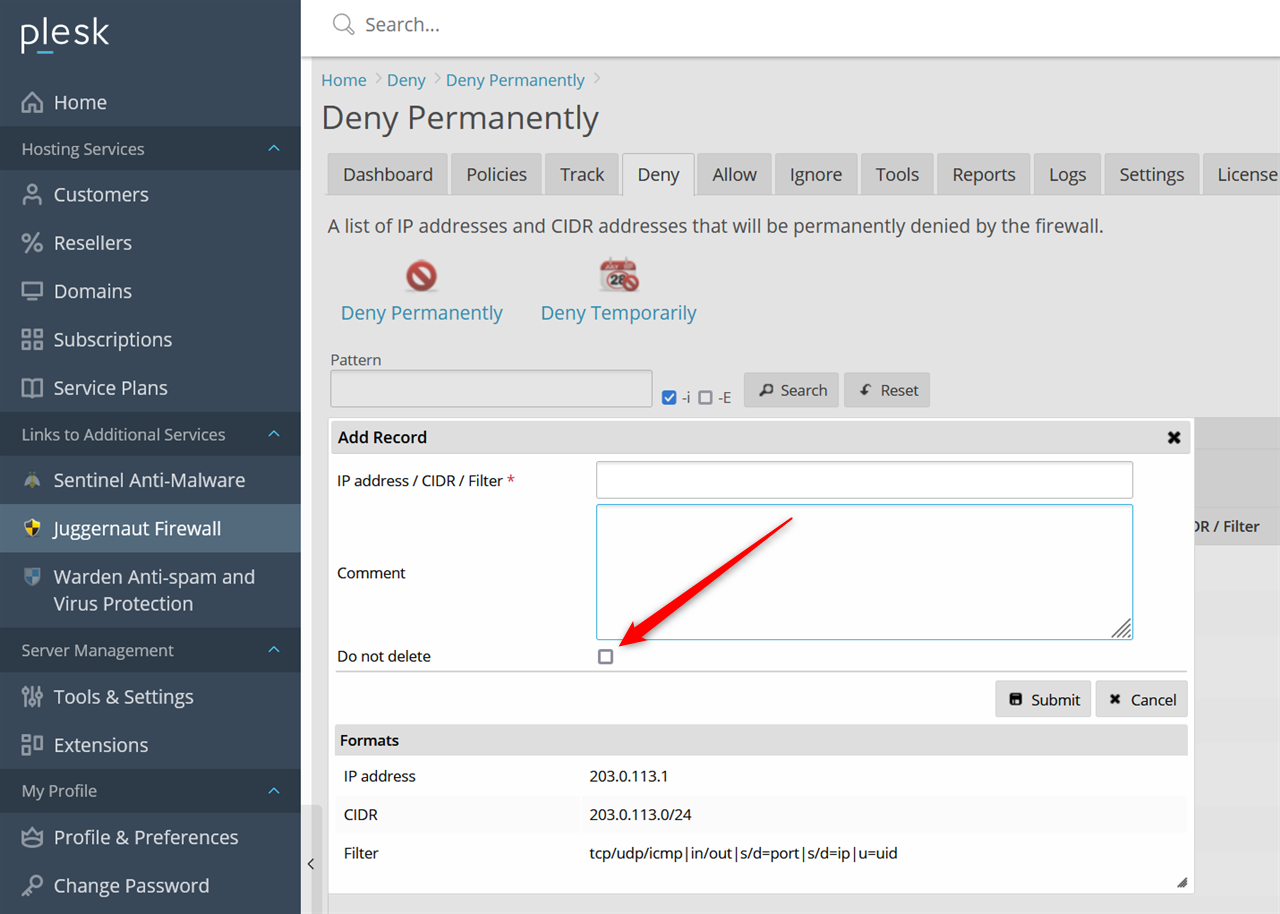
To prevent a specific denied IP address from being automatically rotated out, apply the permanent retention flag during entry creation:
- Add or edit the target denied IP address.
- Select the do not delete option to ensure the entry remains in the list indefinitely.