
Overview
The KAM ruleset enhances the performance and detection efficacy of a standard Amavis installation. Enabling this ruleset within Warden Anti-spam and Virus Protection provides improved spam filtering capabilities.
Prerequisites
- Administrative access to the Warden Anti-spam and Virus Protection interface.
- To view detailed rule matches, Amavis must be configured to run in verbose mode.
Enabling the KAM Ruleset
- Navigate to Warden Anti-spam and Virus Protection > Settings > Rule Updates.
- Select the checkbox for the KAM ruleset.
- Click the Update button to save your configuration changes.
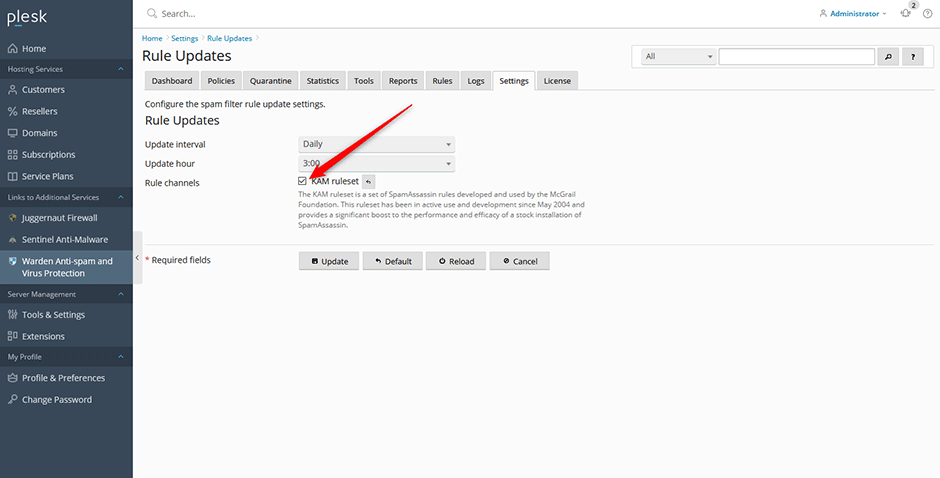
Note: Third-party channel public keys are stored in the /etc/mail/spamassassin/channel.d/ directory. Only enable rule channels from verified and trusted sources to maintain system security.
Applying Rule Updates
KAM rules are automatically downloaded and installed during the next scheduled rule update cron job. To apply updates immediately:
- Navigate to the Rules page.
- Click the Update button within the grid interface to execute the rule update script manually.
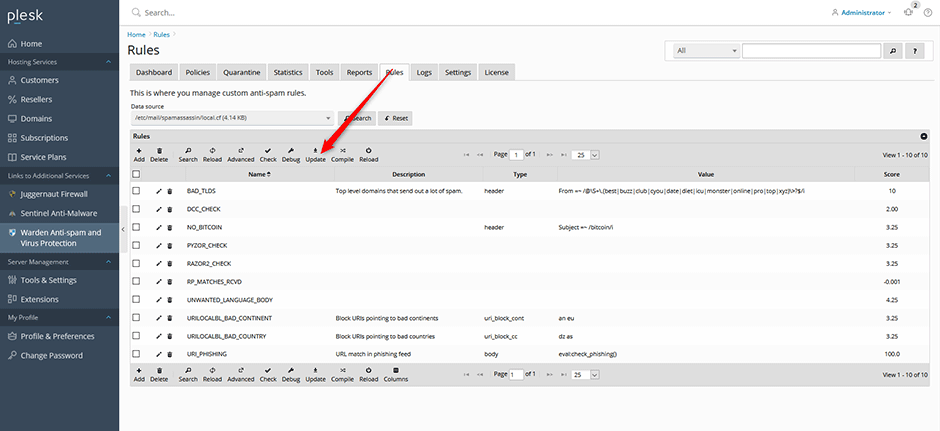
Monitor the download and installation progress by navigating to Logs > Rule Log.
Viewing KAM Rules
- Navigate to Logs > Message Log.
- Click the plus icon (+) next to a message entry to expand its details.
- Review the rule breakdown under the Tests: line. All KAM-specific rules will be prefixed with KAM_.
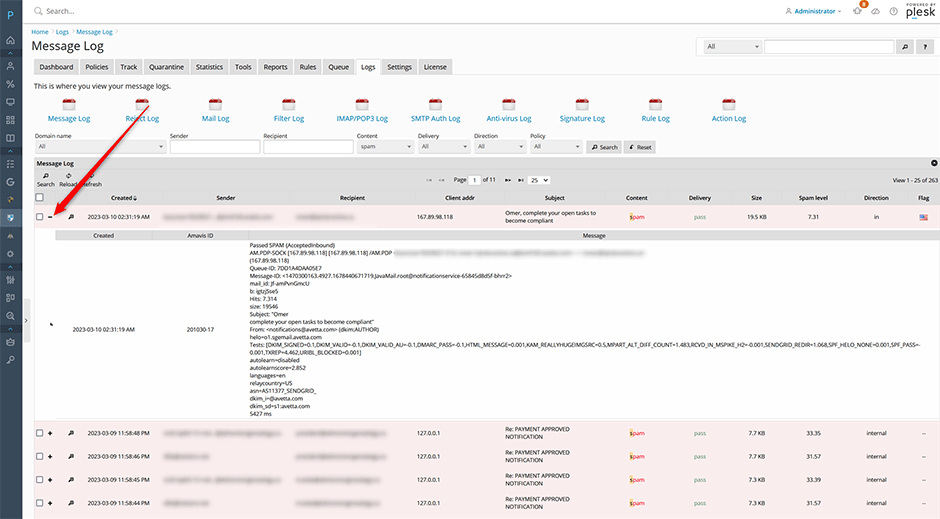
Configuration Requirement: Detailed test results require Amavis verbose mode to be enabled via Settings > Content Filter Settings > Filter Settings.
If a specific KAM rule requires adjustment, you can override its score by following the procedure documented in the Warden knowledge base: Override Rule Score.
Troubleshooting & Common Issues
- Rules not applying: Verify that the manual update completed successfully. Check Logs > Rule Log for errors or completion status.
- Missing rule details in logs: Confirm that Amavis verbose mode is enabled under Settings > Content Filter Settings > Filter Settings.
- Security warnings regarding channels: Ensure all third-party rule channels added to /etc/mail/spamassassin/channel.d/ originate from trusted sources. Unauthorized or unverified channels may compromise filtering accuracy or system integrity.
