
Overview
This article outlines the steps required to install system dependencies, compile SpamAssassin rules into native code, and enable the Rule2XSBody plugin within Warden for automated nightly updates.
Prerequisites
- Sudo or root access to the server
- Administrative access to the Warden control panel
Install Required Packages and Compile Rules
Execute the following commands based on your operating system to install dependencies and compile SpamAssassin rules.
// AlmaLinux/CloudLinux/RHEL
yum install gcc re2c make perl-ExtUtils-MakeMaker

// Debian/Ubuntu
apt-get install gcc re2c make

// run sa-compile to compile the rules into native code
/usr/bin/sa-compile

// AlmaLinux/RHEL/CloudLinux/RockyLinux/Centos users with SeLinux enabled must re-apply SELinux labels
restorecon -R -v "/var/lib/spamassassin/compiled/"
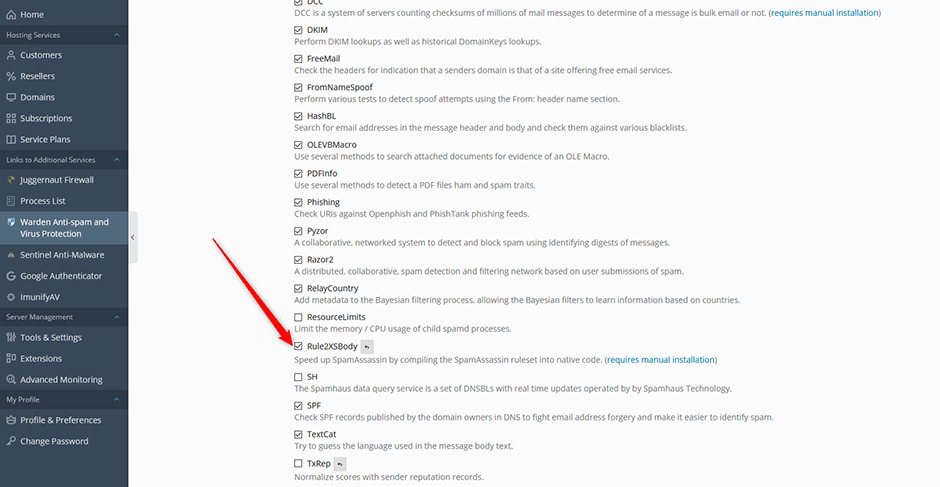
Enable the Rule2XSBody Plugin in Warden
Follow these steps to activate the plugin and configure automated nightly updates:
- Navigate to Warden > Settings > Plugin Settings.
- Select the checkbox next to the Rule2XSBody plugin.
- Click the Update button to save your configuration.
Once enabled, Warden will automatically execute a nightly task that runs the sa-update and sa-compile commands.
Troubleshooting
- Compilation Failures: Verify that all required packages are successfully installed before executing the sa-compile command.
- SELinux Permission Errors: If you encounter access denied errors on RHEL-based systems, ensure the restorecon command was executed correctly to apply the necessary security contexts to the compiled directory.
