
Overview
The Messenger Service displays a notification to users whose IP addresses have been blocked by the firewall due to repeated login failures. This service operates via two daemons that serve either HTML or plain text messages on designated ports and requires the ipt_REDIRECT iptables module. Administrators may choose between the standard built-in service or the optional Messenger V3 service, which leverages Apache for improved resource efficiency, enhanced PCI compliance, and multi-language support.
Enabling the Standard Messenger Service
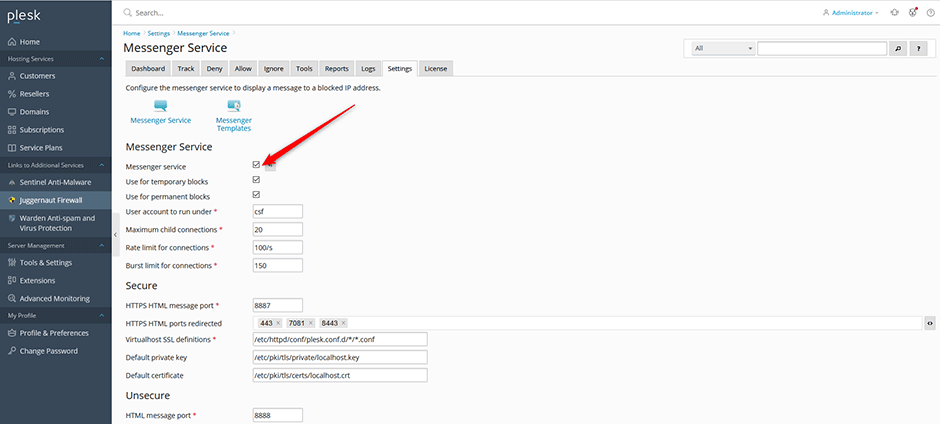
- Navigate to Juggernaut Firewall -> Settings -> Login Failure Daemon -> Messenger Service.
- Select the Messenger service checkbox.
- Click Update to save your configuration.
- Click Restart to apply changes and restart the firewall and login failure daemon.
Customizing Message Templates
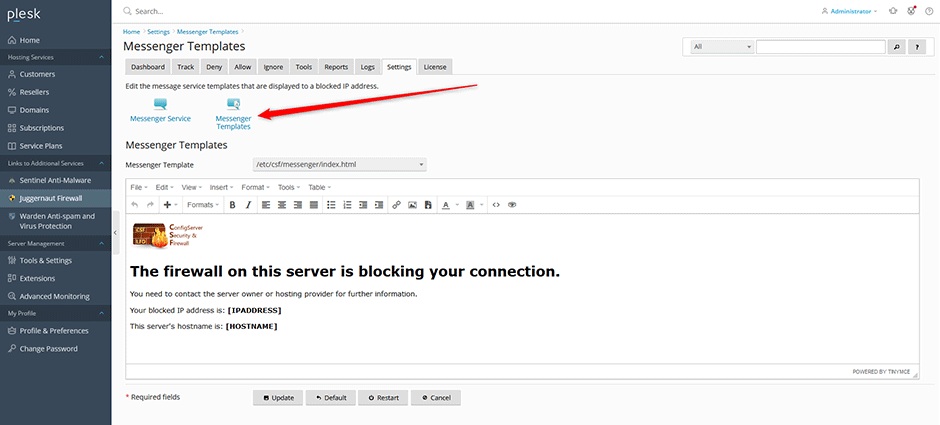
- Navigate to Juggernaut Firewall -> Settings -> Login Failure Daemon -> Messenger Service -> Messenger Templates.
- Select the template you wish to edit.
- Click Update to save your changes.
Configuring Messenger V3 Service (Optional)
Introduced in Juggernaut 3.0, Messenger V3 utilizes Apache as the web server backend. This configuration reduces memory overhead compared to the built-in HTTPS service and is recommended for environments hosting multiple domains due to enhanced PCI compliance and multi-language support.
Prerequisites & Configuration Notes:
- The server must have PHP and FastCGI installed. Install them using: plesk installer add --components mod_fcgid,phpgroup
- Messenger V3 templates are located in the /home/csf/ directory.
- PHP files within /home/csf/public_html are subject to active ModSecurity rules.
To enable Messenger V3:
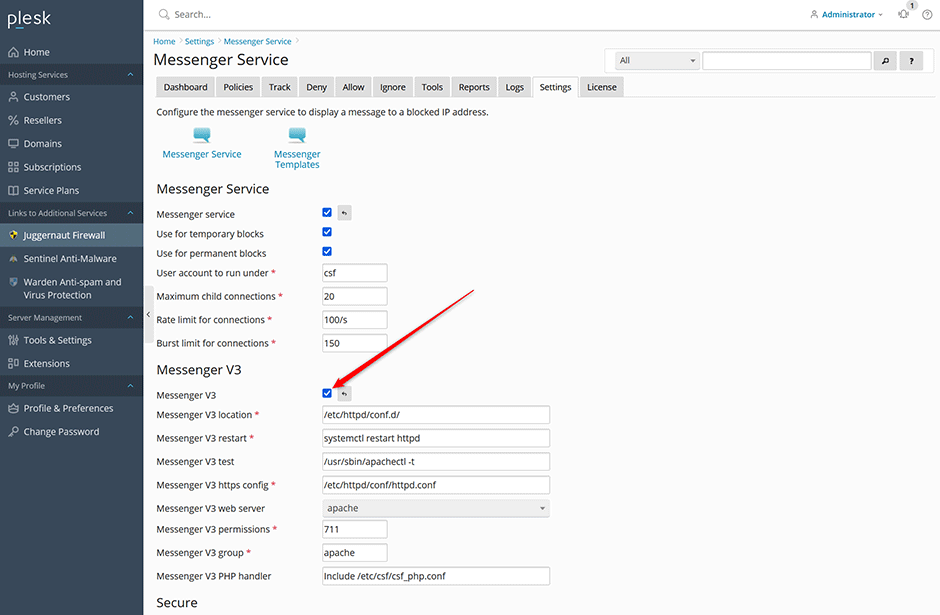
- Navigate to Juggernaut Firewall -> Settings -> Login Failure Daemon -> Messenger Service.
- Select the Messenger V3 checkbox.
- Click Update to save your configuration.
- Click Restart to apply changes and restart the firewall and login failure daemon.
Testing the Messenger Service
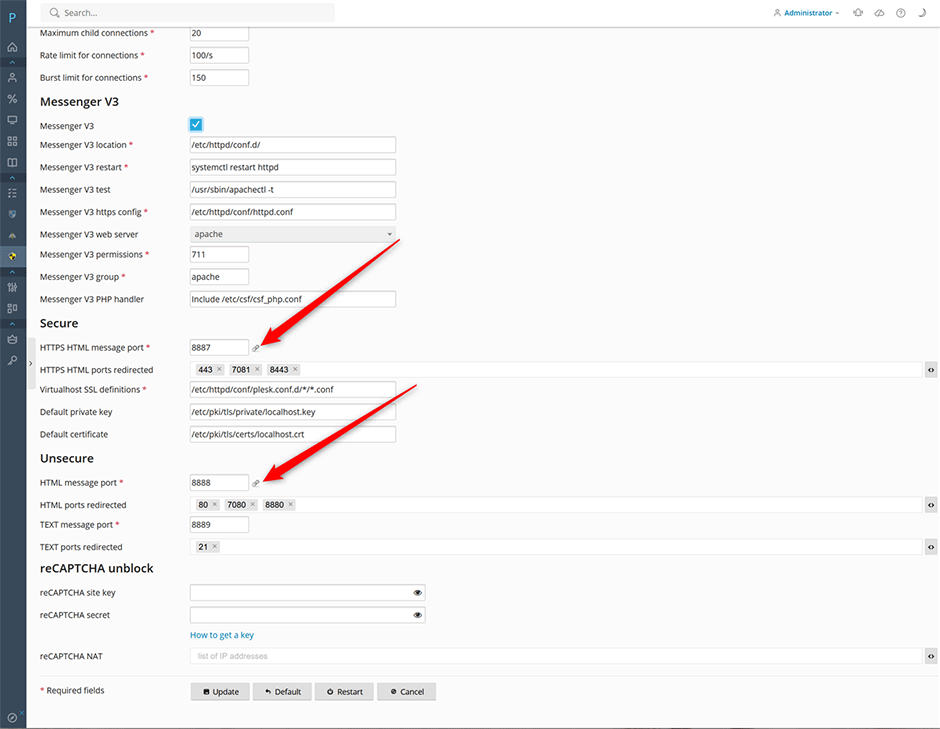
After enabling the service and restarting the daemon, verify functionality using one of the following methods:
- Click the link icons adjacent to the HTTPS HTML Message port (SSL) or HTML Message port (non-SSL) within the interface.
- Access the service directly via a web browser:
Note: An SSL certificate warning may appear when accessing the HTTPS endpoint, as the server hostname typically lacks a valid certificate. This is expected behavior.
Troubleshooting & Common Issues
Log Locations
- Standard Messenger logs: /var/log/lfd.log
- Messenger V3 Apache error logs:
- AlmaLinux/CentOS/RHEL/CloudLinux: /var/log/httpd/error_log
- Debian/Ubuntu: /var/log/apache2/error_log
ModSecurity Exceptions
If ModSecurity rules interfere with the Messenger V3 service, create a configuration file to exclude specific rules for the messenger directory. Restart the Apache web server after applying changes.
For AlmaLinux/CloudLinux/RHEL, create /etc/httpd/conf.d/messengerv3.conf :
<IfModule mod_security2.c>
    <Directory /home/csf/public_html>
        SecRuleRemoveById 942200 942260 950100
    </Directory>
</ifModule>
For Debian/Ubuntu, create /etc/apache2/conf-enabled/messengerv3.conf :
<IfModule mod_security2.c>
    <Directory /home/csf/public_html>
        SecRuleRemoveById 942200 942260 950100
    </Directory>
</ifModule>
CloudLinux CageFS Configuration
If CageFS is enabled on CloudLinux systems, disable it for the csf user to ensure proper service operation:
cagefsctl --disable csf