
Overview
The error message below indicates that an email transmission has exceeded the maximum allowed size configured within Amavis:
host 127.0.0.1[127.0.0.1] said: 552 5.3.4 Declared message size (XXX B) exceeds size limit for recipientThis restriction is enforced to manage server resources and ensure optimal mail flow. Adjusting the Amavis message size limit will resolve this issue.
Prerequisites
- Administrative access to Plesk.
Configuration Steps
- Log in to Plesk.
- Navigate to Warden -> Settings.
- Select Policy Settings.
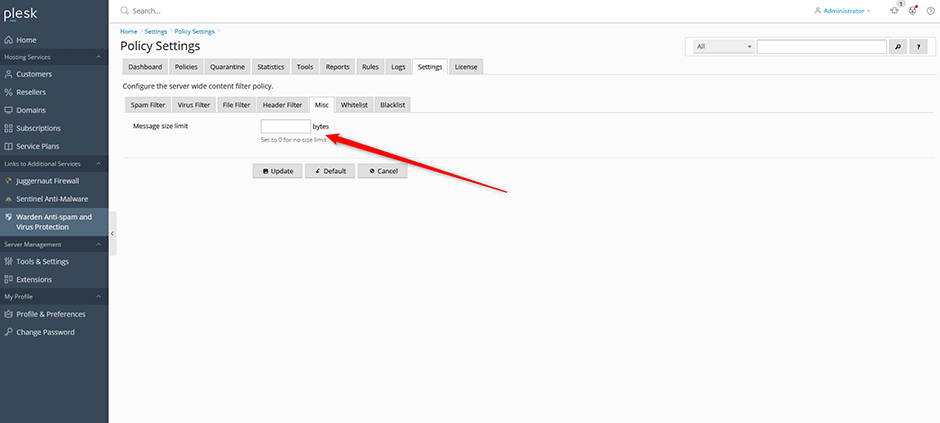
- Locate the Misc Message size limit configuration option.
- Update the value to your desired maximum message size and save the changes.
Troubleshooting
- Changes not taking effect: Verify that the new limit is greater than the size of the failing message.
- Persistent errors: Ensure that no additional size restrictions are enforced at the MTA or recipient domain levels, as these can override Amavis settings.
