
Overview
Note: The Shortcircuit plugin is intended for advanced administrators only.
The Shortcircuit plugin optimizes SpamAssassin processing by halting rule evaluation once a designated symbolic test is matched. When triggered, all pending rules are skipped, reducing CPU overhead and automatically firing the SHORTCIRCUIT symbolic rule. This feature enables instant spam or ham classification based on high-confidence tests, allowing administrators to prioritize rules with strong score thresholds for immediate processing.
Prerequisites
- Administrative access to the Warden interface.
- Familiarity with SpamAssassin scoring mechanisms, rule prioritization, and Bayesian filtering behavior.
Enable the Shortcircuit Plugin
- Navigate to Warden > Settings > Plugin Settings.
- Locate and select the checkbox for the Shortcircuit plugin.
- Click Update to save the configuration.
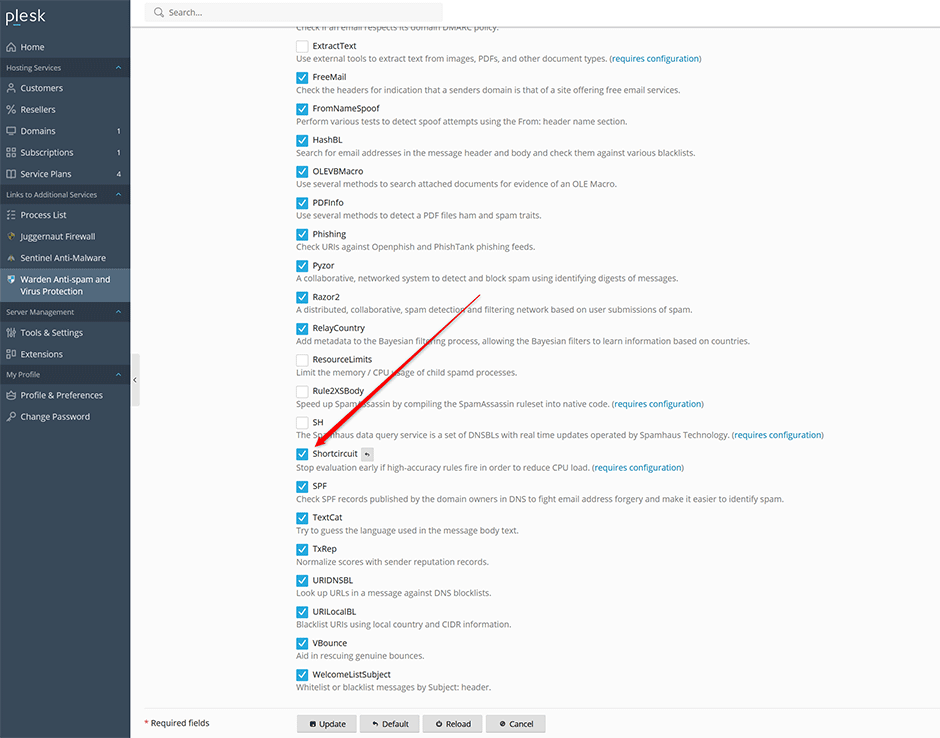
Add Shortcircuit Rules
- Navigate to Warden > Settings > Plugin Settings > Shortcircuit > Shortcircuit.
- Enter your configuration directives using the syntax defined below.
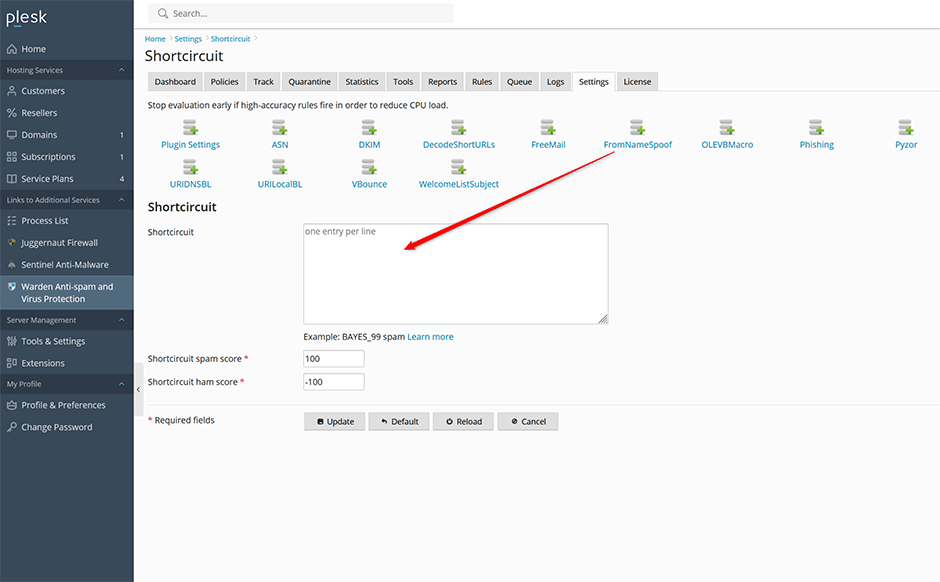
Configuration Syntax and Options
All shortcircuit directives must follow this format:
SYMBOLIC_TEST_NAME {spam|ham|on|off}| spam | Shortcircuits the rule using default parameters; overrides the default score with shortcircuit_spam_score, applies the noautolearn tflag, and sets priority to -200. |
| ham | Shortcircuits the rule using default parameters; overrides the default score with shortcircuit_ham_score, applies the noautolearn and nice tflags, and sets priority to -200. |
| on | Shortcircuits remaining tests without enforcing a strict spam or ham classification. Uses the default score for the matched rule. |
| off | Disables shortcircuiting for the specified rule. |
Configuration Examples
Trusted Network Bypass
If trusted networks are correctly defined in Warden > Settings > Anti-spam Settings > Network Settings > Trusted networks, shortcircuit the ALL_TRUSTED rule to bypass further processing for approved sources:
ALL_TRUSTED onBayesian Classification Acceleration
For highly trained and accurate Bayesian databases, shortcircuit definitive spam or ham classifications to skip remaining tests:
BAYES_99 spam
BAYES_00 ham
Troubleshooting and Common Issues
- Overly Aggressive Shortcircuiting: Misconfigured rules may bypass critical security checks. Validate rule accuracy and test in a staging environment before production deployment.
- Score Override Conflicts: Using
spamorhamoverrides default scores withshortcircuit_spam_scoreandshortcircuit_ham_score. Ensure these values align with your organization's filtering thresholds. - Priority Conflicts: Shortcircuited rules automatically receive a priority of -200. Adjust other rule priorities accordingly to maintain the intended evaluation order.
- Unexpected Classification Behavior: If legitimate mail is incorrectly flagged or spam passes through, verify that the symbolic test names match active SpamAssassin rules and review Bayesian training data quality.
