
Overview
If the Sentinel Anti-malware installation encounters errors, missing components, or permission issues, re-running the application setup wizard will automatically restore required packages and repair the installation.
Repair via Application Setup Wizard
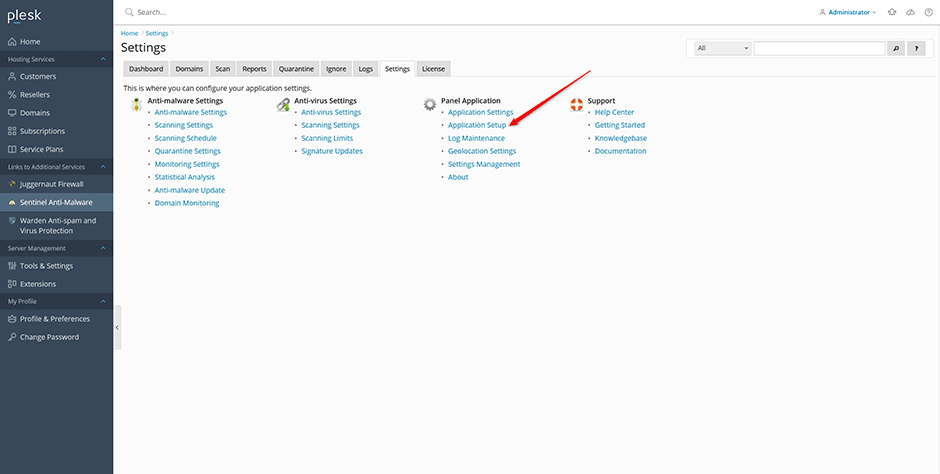
- Navigate to Sentinel Anti-malware -> Settings -> Application setup.
- Follow the on-screen prompts to complete the repair process.
Repair via Command Line
If the setup wizard does not resolve the issue, execute the installer script directly from the terminal to identify and correct underlying errors. Run the command corresponding to your operating system:
- AlmaLinux / CloudLinux / RHEL
/usr/local/psa/admin/bin/modules/sentinel/install.sh- Debian / Ubuntu
/opt/psa/admin/bin/modules/sentinel/install.shTroubleshooting and Logs
To monitor the installation process or review error messages, view the installer log in real-time using the following command:
tail -f /var/log/plesk/panel.log