
Overview
This article provides step-by-step instructions for repairing a Juggernaut Firewall installation that is experiencing configuration errors, missing dependencies, or permission issues.
Prerequisites
- Administrative access to the Plesk control panel.
- SSH/root access to the server (required for command-line operations).
Repair Installation via Web Interface
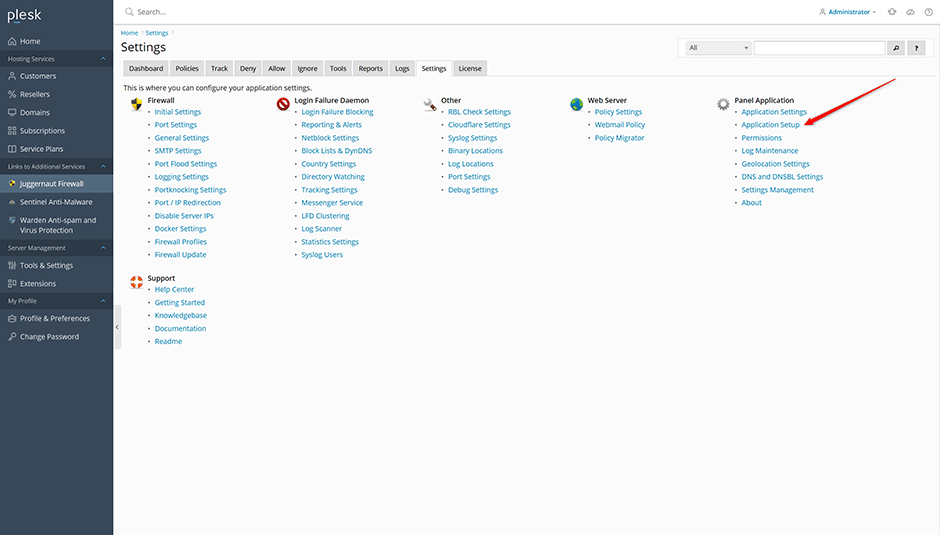
The recommended method for resolving installation issues is to re-run the application setup wizard. This process automatically reinstalls missing packages, corrects file permissions, and repairs core configuration files.
- Navigate to Juggernaut Firewall -> Settings -> Application setup.
- Follow the on-screen prompts to complete the repair process.
Monitor Installation Logs
To track the progress of the repair process or identify specific errors, monitor the Plesk panel log in real-time using the following command:
tail -f /var/log/plesk/panel.logTroubleshooting: Manual CLI Repair
If the web interface repair does not resolve the issue, execute the installer manually via SSH to capture detailed error output. Select the command corresponding to your operating system:
AlmaLinux/CloudLinux/RHEL
/usr/local/psa/admin/bin/modules/juggernaut/install.shDebian/Ubuntu
/opt/psa/admin/bin/modules/juggernaut/install.sh