Overview
LFD Clustering enables a group of servers to synchronize IP block lists and configuration changes across a network topology. This feature designates one server as the master node to distribute configuration updates, while all participating nodes share real-time blocking data.
Example Topology
- 203.0.113.1 - Master Server
- 203.0.113.2 - Slave Server
- 203.0.113.3 - Slave Server
- 203.0.113.4 - Slave Server
Configuration Steps
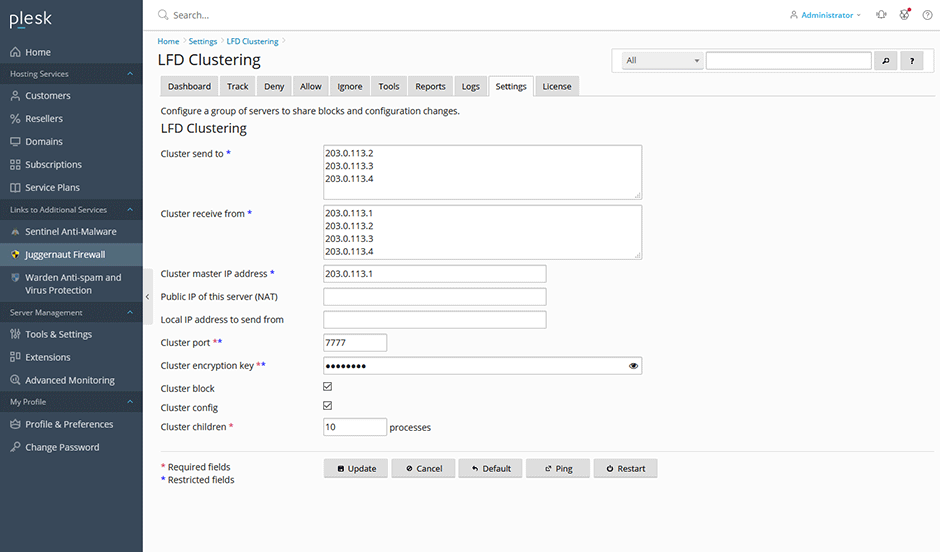
- Navigate to Juggernaut Firewall > Settings > Login Failure Daemon > LFD Clustering.
- Configure the following parameters:
- Cluster send to: Specify target slave server IP addresses.
- Cluster receive from: Specify source server IP addresses permitted to push updates.
- Cluster master IP address: Enter the IP of the designated master node.
- Cluster encryption key: Input a matching cryptographic key across all cluster nodes.
- Select Cluster block to synchronize IP blocks. Optionally select Cluster config to allow the master server to push configuration changes to slave servers.
Note: Excluding the master server from the Cluster send to field is recommended if the host requires uninterrupted external access (e.g., for firewall messenger or contact services).
- Click Update to save the configuration.
- Click Restart to apply changes and restart the firewall and Login Failure Daemon services.
Post-Configuration Behavior
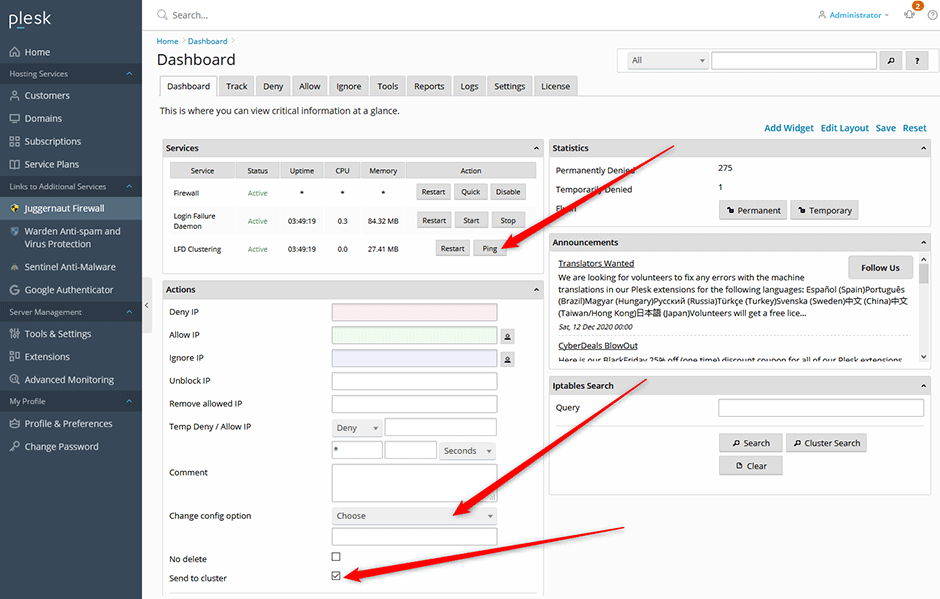
Upon successful configuration, the dashboard on each server will display additional cluster management actions. The master server interface will include options to push configuration updates to designated slave nodes.
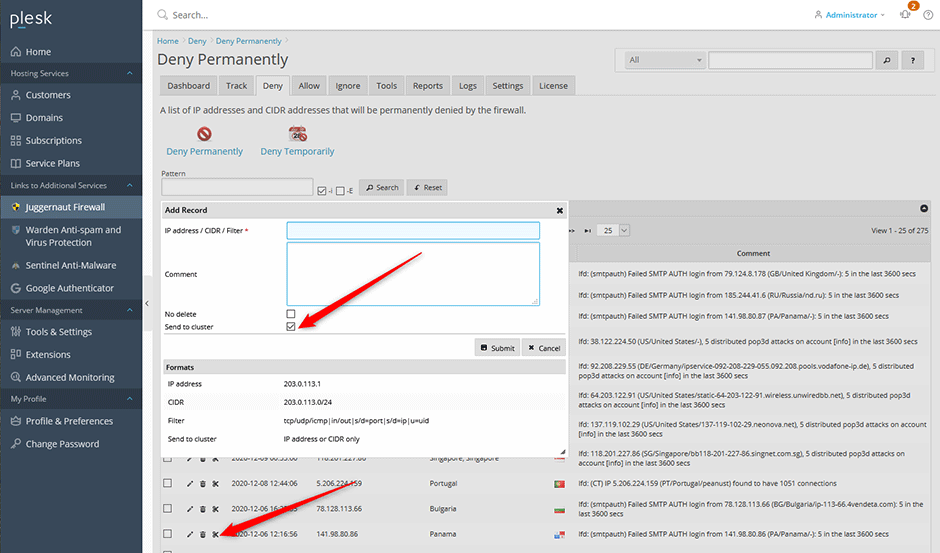
The Deny, Allow, and Ignore management sections will also provide cluster-wide controls to add or remove IP addresses across all synchronized nodes.