
Overview
This article outlines how to access contextual assistance and detailed configuration information within the application interface.
Accessing Detailed Help
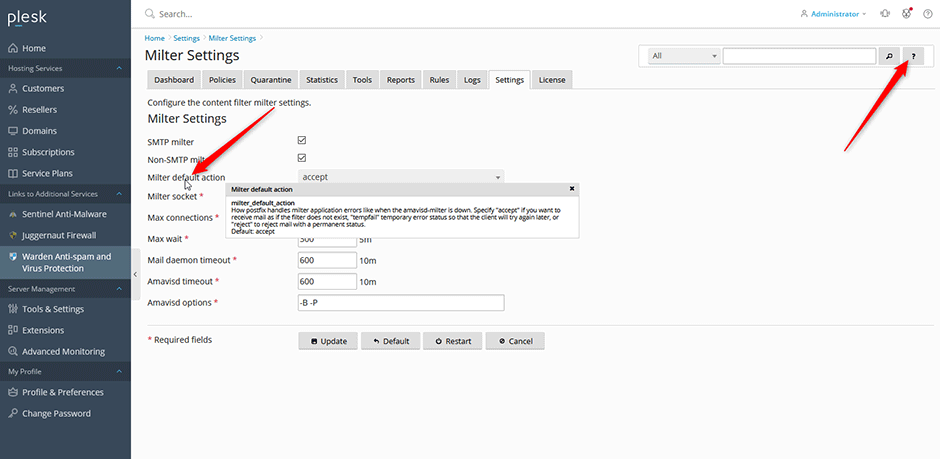
- To view specifications for an individual field, hover your cursor over the corresponding form label. A tooltip will display item-specific details.
- To access comprehensive documentation for all settings on the current page, click the help icon (?) located in the upper-right corner of the interface.
Troubleshooting
- If tooltips fail to appear when hovering over fields, verify that browser extensions or pop-up blockers are not obstructing interface overlays.
