
Overview
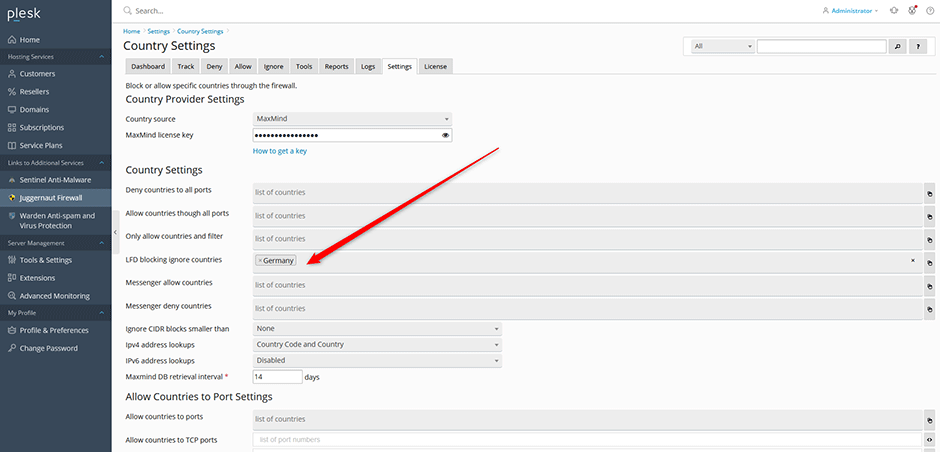
Juggernaut Security and Firewall allows administrators to exclude specific countries from triggering blocks via the Login Failure Daemon (LFD). This configuration is recommended during initial firewall deployment or on high-traffic servers hosting multiple domains. Excluding your home country prevents accidental blocking of legitimate local traffic while security policies are being configured.
Prerequisites
- Administrative access to the Juggernaut Firewall control panel.
- Identification of the target country or countries to exclude from LFD monitoring.
Configuration Steps
- Navigate to Juggernaut Firewall > Settings > Login Failure Daemon > Country Settings in the control panel interface.
- Enter the target country or comma-separated list of countries into the LFD blocking ignore countries field.
- Click Update to save the configuration changes.
- Click Restart to reload the firewall rules and restart the Login Failure Daemon service.
Troubleshooting
- Exclusions not taking effect: Verify that the Restart button was clicked after updating settings. LFD requires a service restart to apply country exclusion rules.
