
Overview
This article provides instructions for obtaining a free MaxMind license key and configuring it within the panel application to enable geolocation services.
Prerequisites
- Administrative access to the control panel
Configuration Steps
- Create an account and register for a free license key at MaxMind Geolite2 Signup.
- Generate your license key. When prompted with "Will this key be used for geoipupdate?", select No.
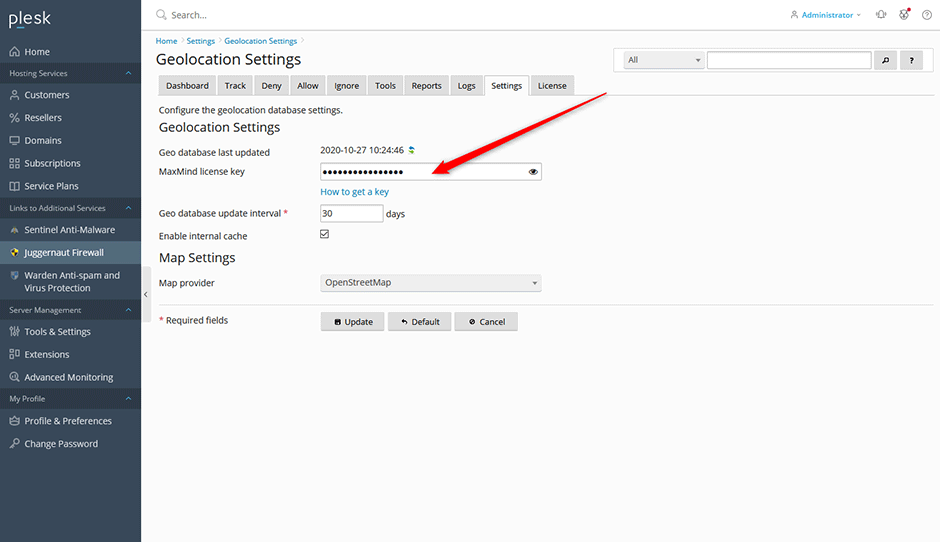
- Navigate to Extension > Settings > Panel Application > Geolocation Settings within the control panel interface.
- Enter the generated license key into the MaxMind license key field.
- Click the Update button to apply and save your configuration.
Troubleshooting
- New Key Not Recognized: MaxMind requires up to 30 minutes to propagate and recognize a newly generated license key. If the system reports an invalid or unrecognized key immediately after configuration, wait the recommended period before attempting validation again.
