
Overview
The Performance Booster utility enables administrators to optimize MariaDB configuration parameters for improved database throughput and stability. This article provides step-by-step instructions for reviewing and applying system-recommended optimizations.
Prerequisites
- Administrative access to the management interface.
- A fully operational MariaDB instance registered within the control panel.
- Current backup of database configuration files (recommended before applying changes).
Procedure
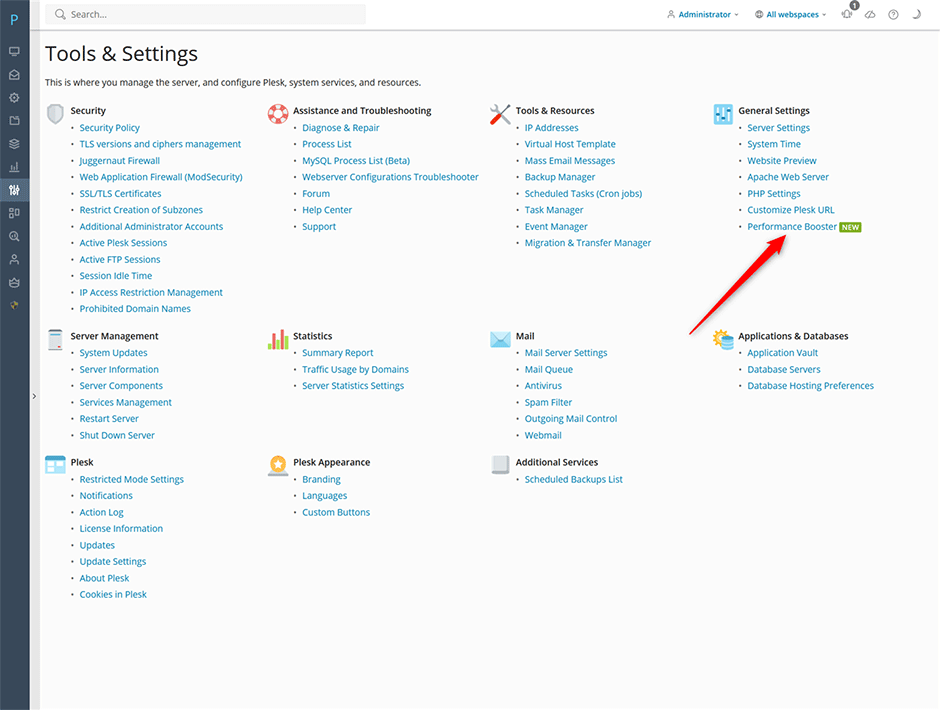
- Navigate to Tools and Settings -> General Settings -> Performance Booster.
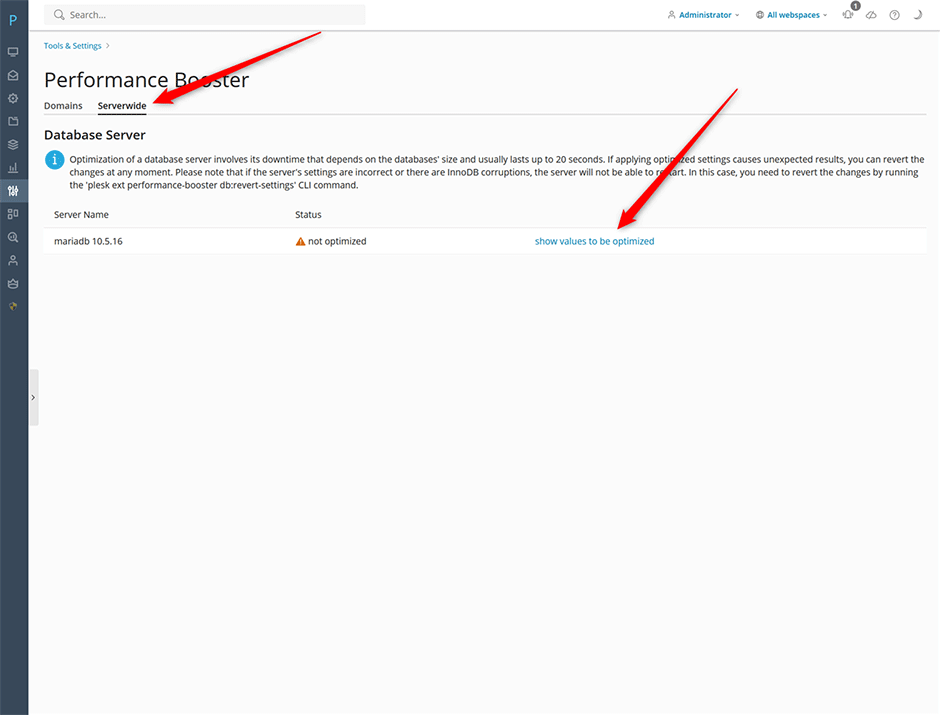
- Select the Serverwide tab, then choose Database Server.
- Click show values to be optimized to generate a list of recommended configuration adjustments based on current server metrics.
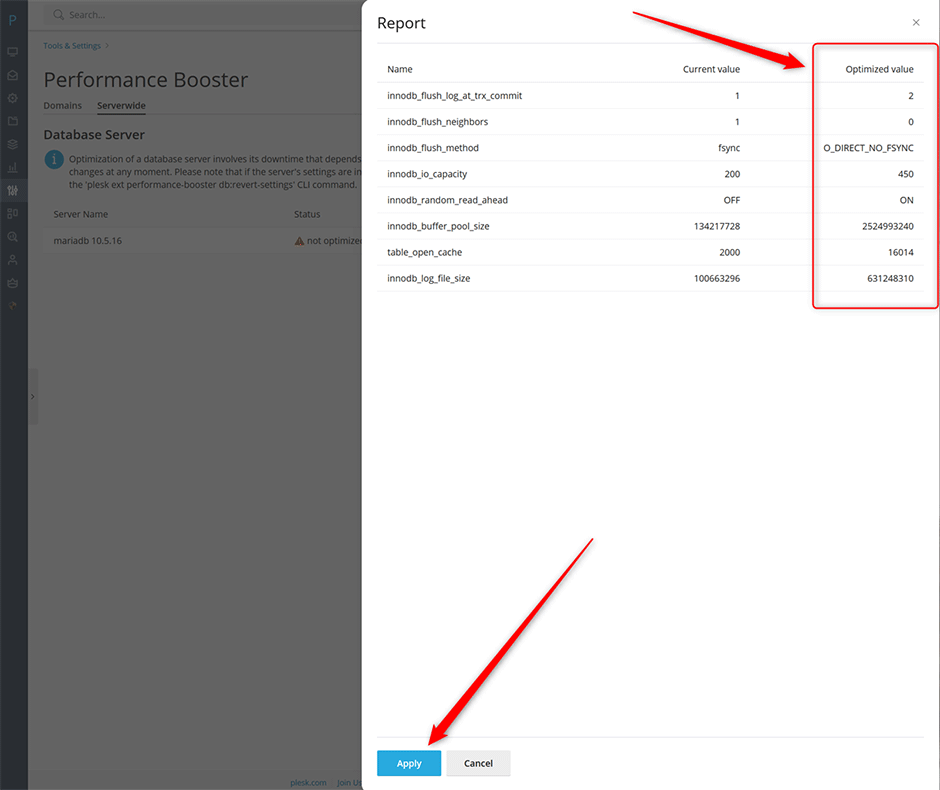
- Carefully review the proposed parameter changes to ensure they align with your workload requirements and available system resources.
- Once verified, click Apply to implement the optimizations. The database service may restart automatically to load the new configuration.
Troubleshooting
- If the optimization process fails or returns an error, verify that the MariaDB service is running and that your user account has write permissions to the database configuration directory.
- Monitor query response times and connection pool metrics after applying changes. If performance degrades or services become unresponsive, restore the previous configuration backup and adjust parameters manually in increments.
- Ensure server memory and CPU allocation meet MariaDB's baseline requirements before enabling aggressive optimization profiles.
